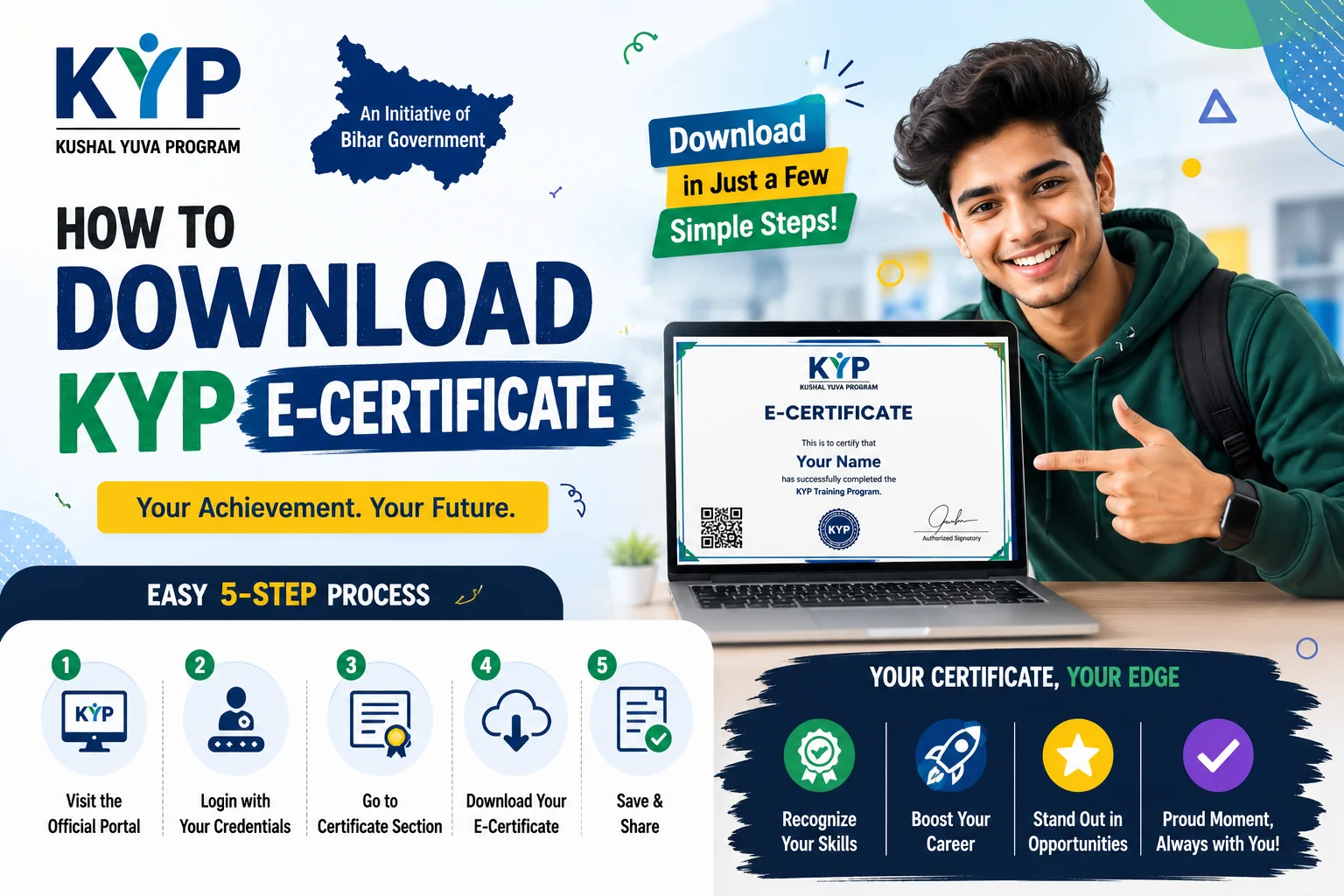
Completed your KYP training and wondering how to download your e-certificate? I'll guide you through the entire process step by step. The e-certificate is an important document that proves you've successfully completed the Kushal Yuva Program, so let's make sure you get it right.
The KYP e-certificate is issued by the Bihar Skill Development Mission (BSDM) after you complete the 240-hour training and pass the final assessment. This certificate is government-recognized and can be used for job applications and further skill development programs.
Before You Start - What You Need
Make sure you have these ready:
- Your KYP Registration Number - From when you registered
- Login Credentials - Username and password for the KYP portal
- Aadhaar Number - For verification
- Mobile Number - Registered during KYP registration
- Assessment Completion - You must have completed the final assessment
Step-by-Step Guide to Download KYP E-Certificate
Step 1: Visit the Official Portal
Go to the official KYP portal: 7nishchay-yuvaupmission.bihar.gov.in
Step 2: Login to Your Account
- Click on the "Login" button
- Enter your username (usually your mobile number or email)
- Enter your password
- Fill in the captcha code
- Click on "Login"
Step 3: Navigate to Certificate Section
After logging in, look for:
- Dashboard menu or "My Profile" section
- Look for "Certificate" or "Download Certificate" option
- It might be under "My Documents" or "Achievements" section
Step 4: Verify Your Details
Before downloading, check that:
- Your name is spelled correctly
- Your course completion date is shown
- Your assessment score is displayed
- All other details are accurate
If there are any errors, contact your KYP center or BSDM helpline for correction.
Step 5: Download Your Certificate
- Click on the "Download Certificate" button
- The certificate will open in PDF format
- Click on the download icon or use Ctrl+S (Cmd+S on Mac)
- Save it in a secure location on your computer
Step 6: Print Your Certificate (Optional)
For physical copies:
- Use good quality paper (A4 size)
- Set print quality to "High" or "Best"
- Take a color print for better appearance
- Keep multiple copies for future use
Common Problems and Solutions
Problem: Certificate Download Button Not Showing
Solution:
- Check if you've completed the assessment
- Ensure your assessment results are processed (can take 7-10 days)
- Verify your attendance is complete (minimum 80% required)
- Contact your training center if button still doesn't appear after 15 days
Problem: Login Credentials Not Working
Solution:
- Use "Forgot Password" option to reset
- Try with your mobile number as username
- Clear browser cache and try again
- Contact KYP helpline if issue persists
Problem: Certificate Has Wrong Information
Solution:
- Contact your training center immediately
- Submit a correction request with proof
- It might take 15-20 days for corrections
- Keep your registration number handy for reference
Problem: Certificate PDF Not Opening
Solution:
- Update your PDF reader software
- Try downloading in a different browser
- Check if your internet connection is stable
- Clear browser cache and try again
Problem: Certificate Shows "Pending" Status
Solution:
- This means your assessment is being processed
- Wait for 7-10 working days
- Check your email for updates
- Contact your center if pending beyond 15 days
Important Information About Your Certificate
Certificate Validity
- The KYP certificate has lifetime validity
- No need to renew it
- Recognized across India
- Valid for government and private sector jobs
Certificate Details
Your certificate will include:
- Your full name (as per registration)
- Course name (Kushal Yuva Program)
- Course duration (240 hours)
- Completion date
- Assessment score
- Unique certificate number
- Bihar Skill Development Mission seal
Uses of KYP Certificate
- Job applications in government and private sectors
- Proof of skill development for further education
- Eligibility for advanced skill programs
- Resume enhancement
- Self-employment schemes
Tips to Avoid Certificate Issues
- Complete Attendance: Maintain at least 80% attendance throughout the course
- Pass Assessment: Take the final assessment seriously and prepare well
- Correct Information: Ensure your registration details are accurate from the start
- Save Credentials: Keep your login details safe for future access
- Download Early: Download your certificate as soon as it's available
- Keep Copies: Save multiple copies in different locations
Contact Information for Help
If you face any issues:
- KYP Helpline: Check the official website for current helpline number
- Your Training Center: First point of contact for most issues
- District DRCC: For district-level support
- Email Support: Available on the official portal
Frequently Asked Questions
Q: How long after assessment can I download the certificate?
A: Usually 7-10 working days after assessment completion and result processing.
Q: Can I download the certificate multiple times?
A: Yes, you can download it as many times as you need from the portal.
Q: What if I lose my certificate?
A: You can download it again from the portal anytime using your login credentials.
Q: Is the e-certificate valid for government jobs?
A: Yes, the e-certificate is government-recognized and valid. You can also get a printed copy attested if needed.
Q: Can I get my certificate printed from the center?
A> Some centers offer printing services. Check with your training center.
Q: What if my name is spelled wrong on the certificate?
A: Contact your training center immediately with proof (Aadhaar card) for correction.
Q: Is there a fee for downloading the certificate?
A: No, downloading the e-certificate is completely free.
Final Checklist
Before you start the download process:
- ✓ Completed 240 hours of training
- ✓ Appeared for final assessment
- ✓ Assessment results processed
- ✓ Login credentials ready
- ✓ Good internet connection
- ✓ PDF reader installed
My Advice
Don't wait until the last minute to download your certificate. Once your assessment results are out and processed, download it immediately. Keep both digital and printed copies safe. This certificate is proof of your hard work and can open doors to better opportunities.
If you face any issues, don't hesitate to reach out to your training center or the helpline. They're there to help you!


Comments
Loading comments...